Steps to enable MAL-Sync
1
On MAL-Sync, enable 'Discord Rich Presence' through the extension's settings
Enabling Discord Rich Presence allows Hayami to communicate with MAL-Sync. Ensure ‘show button to view the anime/manga on MAL or another provider’ is enabled.Do not worry: this will not show MAL-Sync on your Discord Rich Presence unless you’ve installed an application to manage this on your computer. Hayami uses this feature to interface with MAL-Sync directly. MAL-Sync Docs >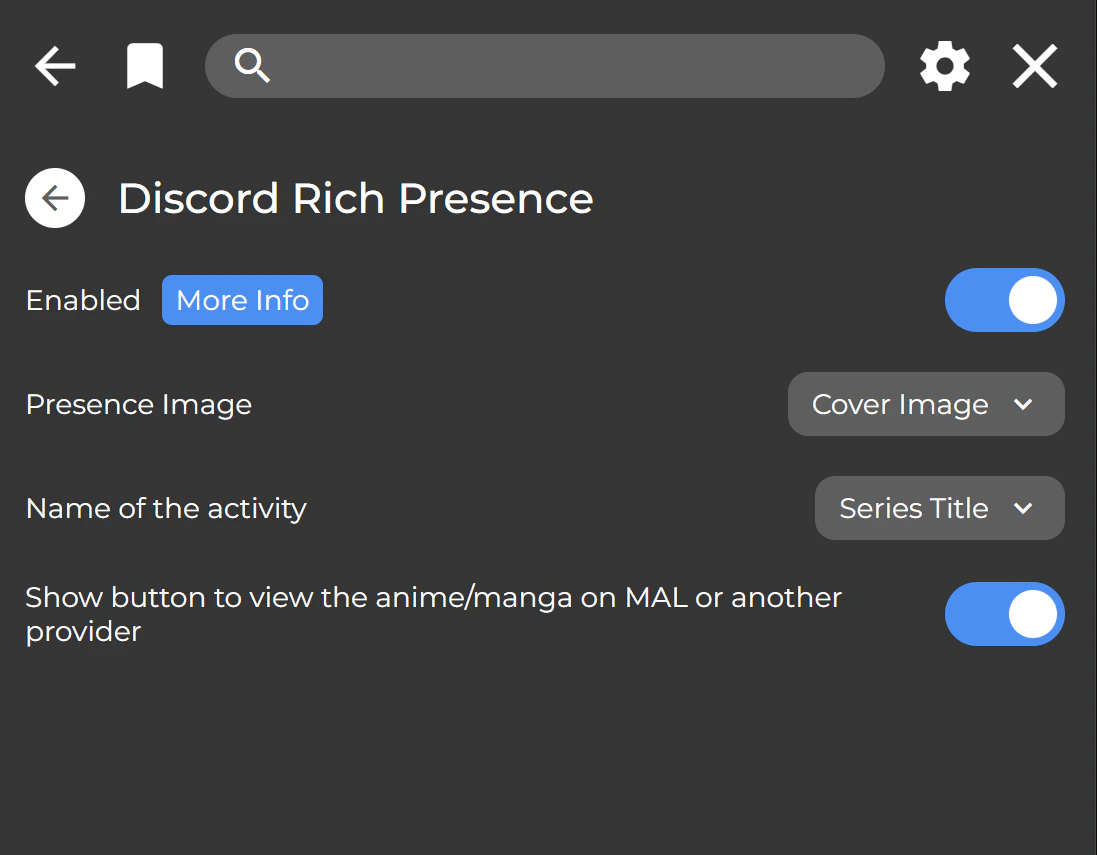
2
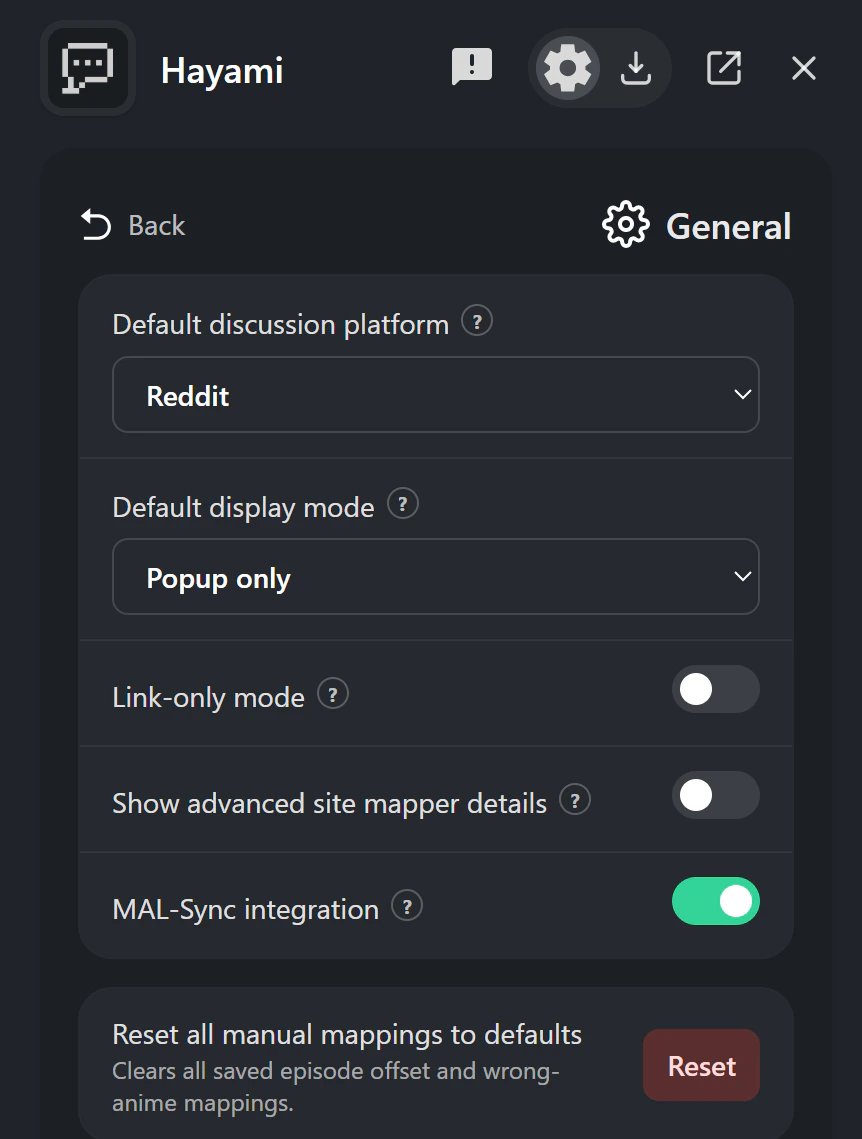
On Hayami's settings, enable 'MAL-Sync integration'
Under Settings > General, enable MAL-Sync integration. If you can’t and it’s greyed out, MAL-Sync isn’t detected as an installed browser extension. This feature will take effect whenever you use MAL-Sync to track your anime.