> ## Documentation Index
> Fetch the complete documentation index at: https://docs.hayami.moe/llms.txt
> Use this file to discover all available pages before exploring further.
# Configuring Disqus
> How to setup and configure Disqus
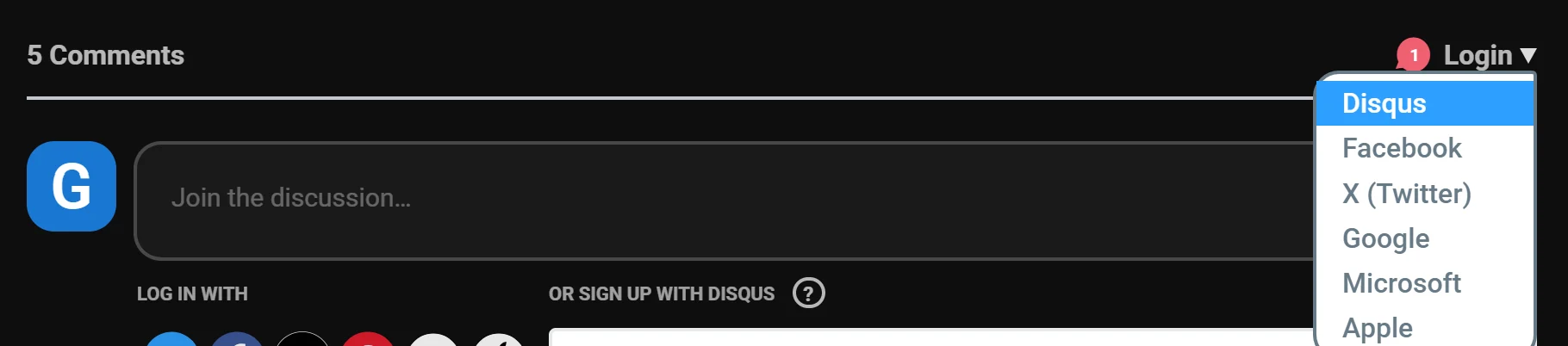
**Disqus image embedding works**, assuming your logged in to Disqus. If you're not logged into Disqus already, as already mentioned in the [getting started](https://docs.hayami.moe/getting-started) guide, you may regularly encounter comments with de-expanded images in them, requiring you to click-on the image icons to load them in. This is due to you being logged out. To login to Disqus, when the Disqus embed loads, click Login at the top-right of the embed (or [login through the website](https://disqus.com/home/settings/profile/)). Once fully logged in, reload the page, and you should see image embeds properly loading in.
 If you *still* don't see them embedded, on the top-right of the embed, click on your name (where the login button once was) > 'Display Media', which should show it.
 ## Customising Disqus
There's nothing to customise for Disqus through Hayami, *however*, you can customise your Disqus account such as profile picture, and other such details on your Disqus profile once your logged in, which is what other Disqus users will see you by when commenting.
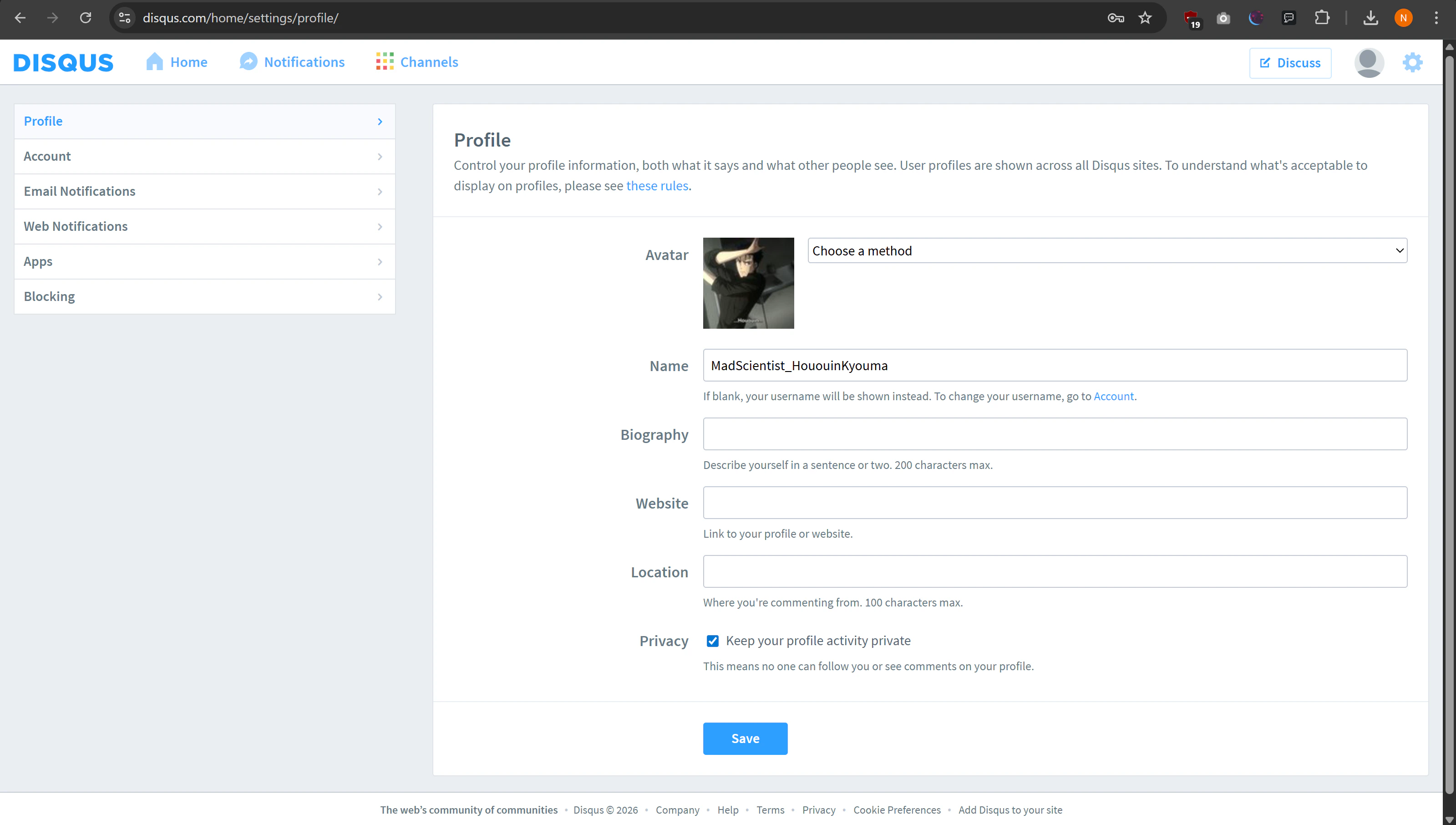
Once logged in, you can configure your name, and avatar on the Disqus profile page, found at [https://disqus.com/home/settings/profile/](https://disqus.com/home/settings/profile/). You can also add a bit about yourself, which is discoverable upon the hover of your profile picture by other users, or directly viewing your Disqus profile. Also choose whether you want to keep your activity private, and hit save.
You may want to change your username, enable 2FA (email-based 2FA also works), and customise your privacy choices on your account page, found at [https://disqus.com/home/settings/account/](https://disqus.com/home/settings/account/). You may also want to customise how and when you receive notifications (e.g. replies to comments) as well which you can configure through [Email Notifications](https://disqus.com/home/settings/email/) and [Web Notifications](https://disqus.com/home/settings/web/).
## Customising Disqus
There's nothing to customise for Disqus through Hayami, *however*, you can customise your Disqus account such as profile picture, and other such details on your Disqus profile once your logged in, which is what other Disqus users will see you by when commenting.
Once logged in, you can configure your name, and avatar on the Disqus profile page, found at [https://disqus.com/home/settings/profile/](https://disqus.com/home/settings/profile/). You can also add a bit about yourself, which is discoverable upon the hover of your profile picture by other users, or directly viewing your Disqus profile. Also choose whether you want to keep your activity private, and hit save.
You may want to change your username, enable 2FA (email-based 2FA also works), and customise your privacy choices on your account page, found at [https://disqus.com/home/settings/account/](https://disqus.com/home/settings/account/). You may also want to customise how and when you receive notifications (e.g. replies to comments) as well which you can configure through [Email Notifications](https://disqus.com/home/settings/email/) and [Web Notifications](https://disqus.com/home/settings/web/).