> ## Documentation Index
> Fetch the complete documentation index at: https://docs.hayami.moe/llms.txt
> Use this file to discover all available pages before exploring further.
# Custom websites (Advanced)
> Some additional guides on setting up Hayami on more sophisticated websites.
## Configuring for metadata-less player site layouts
Some particular websites may not have metadata (i.e. anime name, or episode number) on your episode-related page which can be common within Asia/regional-specific sites or when sites use particular CMS (Content Management Systems). Hayami has *outside* episode page support (called episode index), but this only works by *manually* setting it up through the extension's popup, which may require some fiddling through Developer Tools (otherwise known as "Inspect Element") through your browser. The [tips on how to obtain variables for KomentoScript JSON](/contributing-komentoscript-sites) may help you complete this for your given site.
### Adding a new site to Hayami and using the Advanced Editor
Select the anime name, then hit Save.
### Using the Advanced Editor
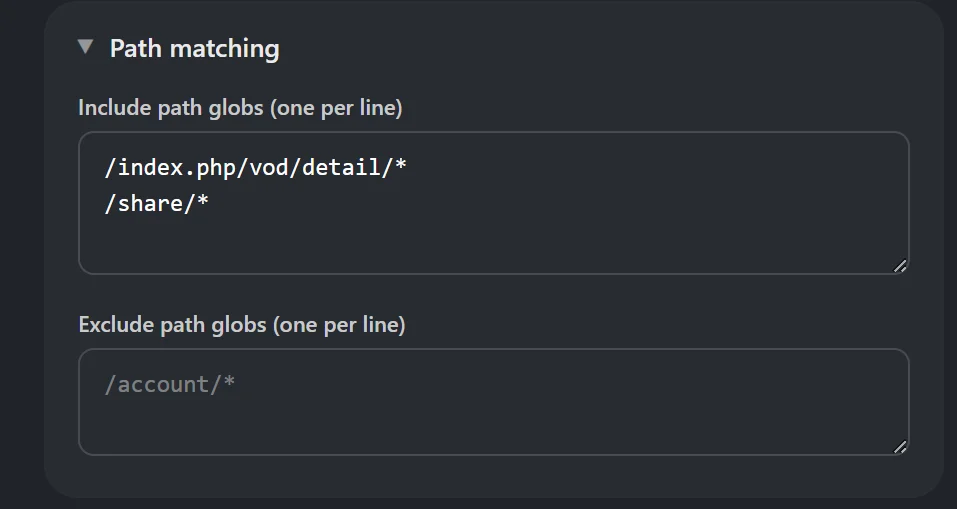
In the Advanced view, fill out the rest of the elements you usually do. So where is the episode page located (e.g. /episode/\*), then adding that in "Patch matching" > "Include path globs". In the following instance:
* /index.php/vod/detail/\* - where the episode listing page is
* /share/\* - where the video player is for each anime
 We'll be using the following simulated example. This is a listing of Wistoria Season 2 on a CMS.
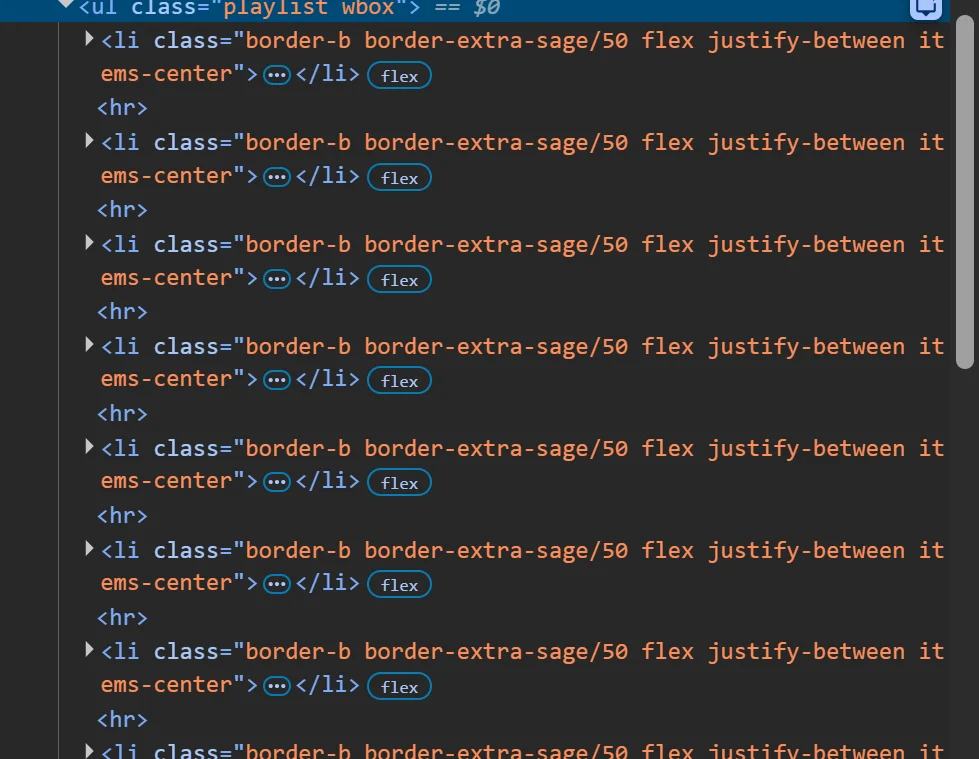
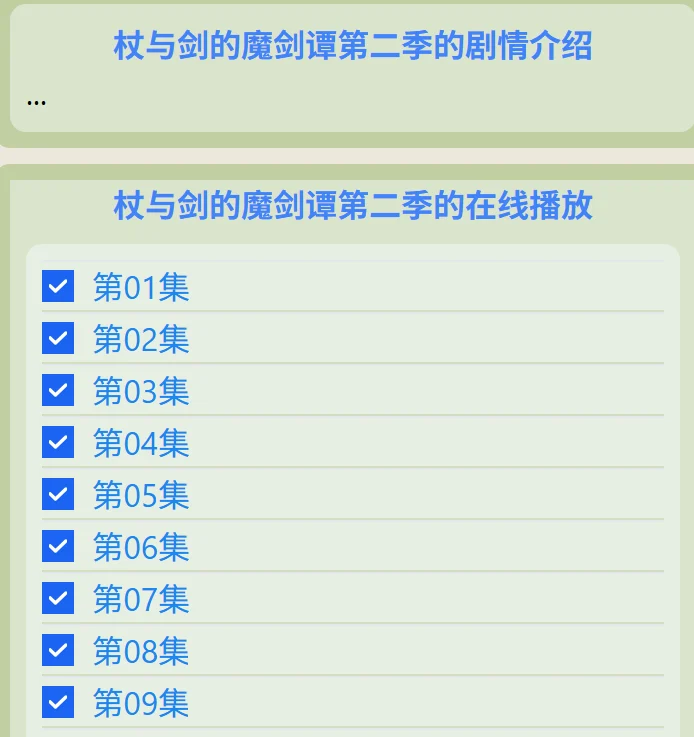 This is rendered as a \
 element in the DOM, with each item contained in a child \- . Each \
- represents an episode number. So Episode 01, 02, 03, etc. If the episode pages are extra domains, add them in the extra domains field.
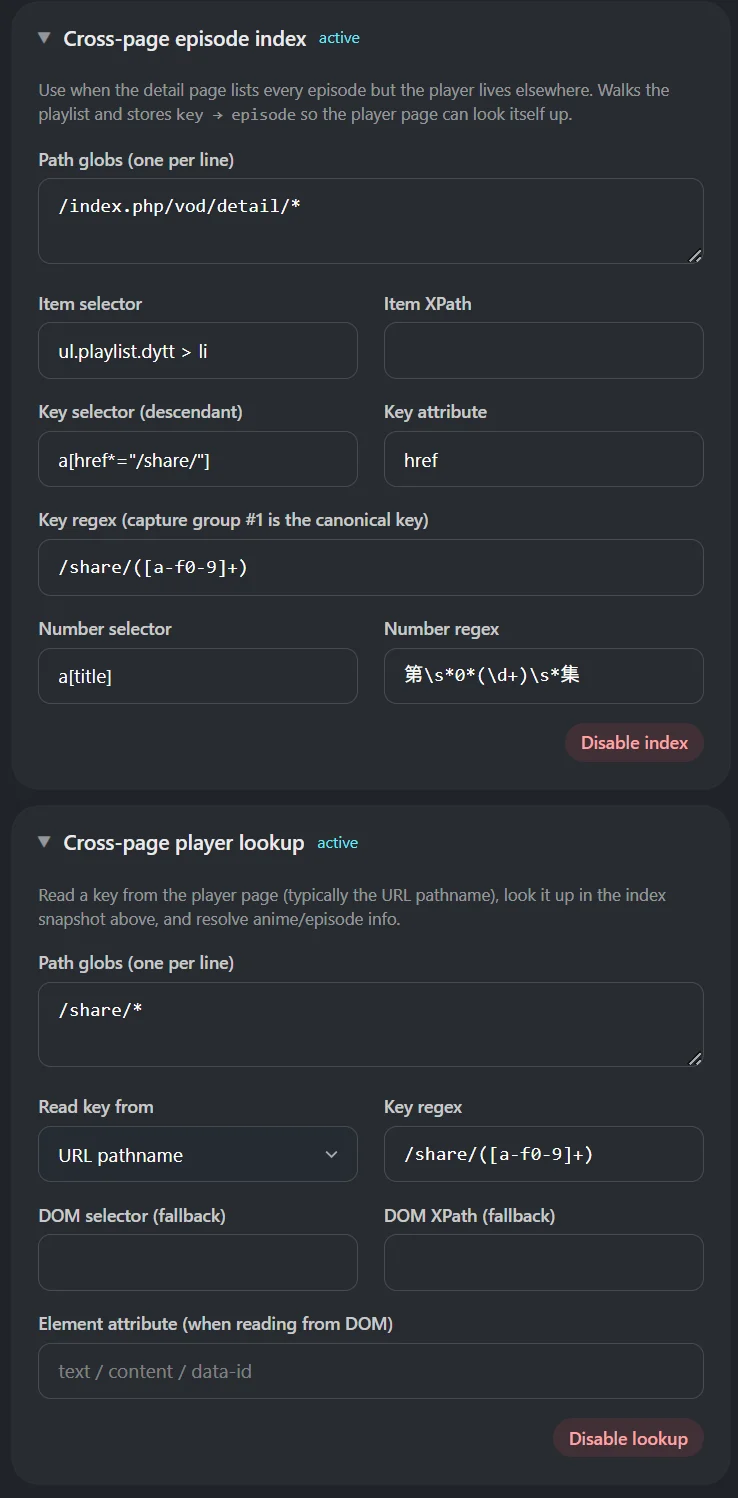
 Scroll and find "Cross-page episode index" and "Cross-page player lookup" and enable them. "Cross-page episode index" is where your episode listing is located. "Cross-page player lookup" is where the per-episode anime page is. Below is the configuration used for the above as an example.
 ## Schema
If you'd like the full JSON used in this instance, you can see [that example here >](/schema#cross-page-mapping-index-and-player-on-different-domains)
For the full schema on custom websites, you can [read more about the schema on its page >](/schema)
## Schema
If you'd like the full JSON used in this instance, you can see [that example here >](/schema#cross-page-mapping-index-and-player-on-different-domains)
For the full schema on custom websites, you can [read more about the schema on its page >](/schema)